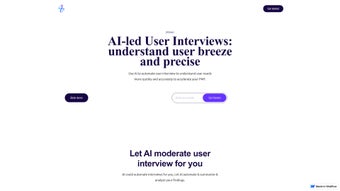

Download zenAI – AI‑powered User Interview Tool for Fast Insights
Overview
zenAI is a cutting‑edge, AI‑driven platform that completely reshapes how businesses collect and analyze user feedback. Traditional interview workflows often involve lengthy scheduling, manual note‑taking, and a high risk of bias slipping into the final insights. With zenAI, every step—from recruiting participants to generating final reports—is automated and enhanced by intelligent algorithms.
The platform’s adaptive questioning engine listens to each response, determines the most relevant follow‑up, and pivots the conversation in real time, ensuring that no valuable nuance is missed. By allowing hundreds of interviews to run concurrently, zenAI shortens research cycles from weeks to days, giving product teams a rapid feedback loop that is essential for achieving product‑market fit. The AI moderation component not only transcribes speech with near‑human accuracy but also applies sentiment analysis, topic clustering, and concise summarization, turning raw conversation into structured data ready for immediate action.
Security is baked in: all data is encrypted in transit and at rest, and the system complies with GDPR, CCPA, and ISO 27001, giving both interviewers and participants peace of mind. Subscription tiers are designed to scale with the size of your organization—solo entrepreneurs can start with a lightweight plan, while large enterprises can unlock advanced analytics, custom branding, and dedicated support. Whether you’re validating a brand‑new concept or refining an established feature set, zenAI delivers a secure, cost‑effective, and highly scalable solution that turns user voices into strategic product decisions.
Key Features of zenAI
- Automated Interview Scheduling: Built‑in calendar integration automatically matches participant availability, sends personalized invitations, and handles reminders, eliminating the administrative overhead that typically consumes 30‑40% of research time.
- AI‑Powered Moderation: Real‑time voice and text transcription is paired with sentiment scoring, keyword extraction, and automatic summarization, providing instant insight dashboards as the interview unfolds.
- Adaptive Questioning Engine: The system learns from each answer and dynamically selects the next most relevant question, ensuring deep exploration of high‑value topics while keeping the interview length optimal.
- Mass Interview Capability: Designed for scalability, zenAI can launch dozens to hundreds of simultaneous sessions without latency, thanks to a cloud‑native architecture that automatically balances load.
- Rich Insight Reports: Exportable PDFs, CSVs, and JSON files include visual sentiment graphs, persona clusters, scenario maps, and actionable recommendations that can be shared with stakeholders in minutes.
- Secure Data Handling: End‑to‑end encryption, role‑based access controls, and audit logs protect sensitive user data and meet the strictest compliance standards across regions.
- Integrations & APIs: Native connectors for Jira, HubSpot, Salesforce, Mixpanel, and more enable seamless data flow, while an open REST API allows custom workflows and third‑party extensions.
- Multi‑Language Support: Conduct interviews in over 20 languages; built‑in automatic translation and locale‑aware transcription ensure consistent quality across markets.
- Custom Branding: White‑label the interview interface, email templates, and reporting assets to align perfectly with your corporate identity and boost participant trust.
- Continuous Learning: The AI model refines its questioning strategy as it ingests more interview data, gradually improving relevance and reducing redundant queries.
Each of these features works together to create a research environment where speed, accuracy, and security are the norm rather than the exception. For example, the combination of automated scheduling and adaptive questioning can reduce the total time required to gather 500 high‑quality interviews from several weeks to just a few days, while the integrated analytics dashboard allows product managers to spot emerging trends within minutes of data collection. This holistic approach makes zenAI a compelling choice for startups seeking rapid validation as well as for enterprises that need to manage large‑scale user research programs with rigorous governance.
Installation, Usage & Compatibility
Getting started with zenAI is intentionally straightforward, allowing both technical and non‑technical users to launch their first project in under ten minutes. After navigating to the official website, click the prominent “Download” button to receive a platform‑agnostic installer that detects your operating system automatically. The installer supports Windows 10/11, macOS 12 and later, as well as major Linux distributions such as Ubuntu 20.04+ and Fedora 34+. Mobile teams benefit from native iOS (14+) and Android (9+) apps that synchronize seamlessly with the desktop client, enabling interview moderation from any device.
Installation steps are as follows:
- Download the appropriate installer for your OS.
- Execute the file (Windows) or drag the app to the Applications folder (macOS).
- Accept the license agreement and select an installation directory; the installer automatically configures required background services.
- Launch zenAI and register using your corporate email or single sign‑on (SSO) provider (Azure AD, Okta, etc.).
- Complete the onboarding wizard, which guides you through calendar linking, interview template selection, and data‑privacy preferences.
Once the application is running, the interface presents three primary panes—Projects, Interviews, and Analytics. Begin by creating a new project, defining target demographics, and either selecting a pre‑built interview script from the library or constructing a custom questionnaire with the drag‑and‑drop builder. After publishing, zenAI automatically dispatches invitations, handles consent documentation, and records each session in the secure cloud. The analytics pane updates in real time, displaying completion rates, sentiment trends, and emerging thematic clusters. For deeper analysis, raw transcription files can be exported for statistical processing in tools such as R or Python.
Compatibility: Windows 10/11, macOS 12+, Ubuntu 20.04+, Fedora 34+, iOS 14+, Android 9+
Because all heavy‑lifting—speech‑to‑text conversion, sentiment analysis, and model training—occurs on zenAI’s cloud servers, even low‑spec laptops deliver a fluid user experience. Updates are delivered automatically through the cloud, ensuring you always benefit from the latest AI improvements and security patches without manual intervention. Additionally, enterprise administrators can enforce version control policies via the admin console, guaranteeing a consistent environment across all team members.
Conclusion, Pros & Cons, FAQ & Call to Action
Pros
- Massive time savings – up to 80 % reduction in manual interview effort.
- AI‑driven insights that are more objective and data‑rich than traditional notes.
- Scalable architecture supports hundreds of simultaneous sessions.
- Secure, GDPR‑compliant data handling builds trust with participants.
- Rich integrations streamline workflow across product and marketing tools.
- Multi‑language capability enables global research without extra tools.
- Continuous learning improves question relevance over time.
Cons
- Initial learning curve for teams new to AI‑moderated research.
- Subscription pricing may be higher than basic survey tools for very small teams.
- Reliance on internet connectivity for real‑time transcription.
- Advanced analytics features are gated behind higher‑tier plans.
- Custom branding requires a minimum contract length for enterprise plans.
Frequently Asked Questions
Can zenAI handle video interviews?
Yes, zenAI supports both audio‑only and video interview modes. Video recordings are stored securely and can be linked directly in the analytics dashboard for later review.
Is there a free trial available?
A 14‑day free trial is offered for all subscription tiers, allowing you to test the full feature set without providing payment details.
How does zenAI ensure data privacy?
All data is encrypted at rest and in transit, and the platform complies with GDPR, CCPA, and ISO 27001 standards. Role‑based permissions let administrators control who can view or export interview data.
Can I integrate zenAI with my existing CRM?
Yes, native connectors are available for HubSpot, Salesforce, and Microsoft Dynamics. You can also use the open API to build custom integrations.
What kind of support does zenAI provide?
All plans include email support, with higher‑tier subscriptions receiving 24/7 live chat and a dedicated account manager.
Is the platform compatible with Linux servers?
Yes, zenAI offers native installers for Ubuntu 20.04+ and Fedora 34+, and the client can also be run via Docker containers for maximum flexibility.
In summary, zenAI stands out as a powerful, secure, and scalable solution for any organization that wants to transform raw user conversations into strategic product decisions. Its AI moderation, adaptive questioning, and bulk interview capabilities dramatically cut down research cycles while delivering richer, data‑driven insights. If you’re ready to accelerate your path to product‑market fit, reduce manual effort, and make smarter, evidence‑based decisions, now is the perfect time to give zenAI a try.
Ready to experience AI‑powered user research? Download zenAI today, start your free trial, and see how quickly you can uncover the insights that drive growth.



.png)



